How to track your cross stitch progress on your phone
Quick answer: open your pattern in Heddle’s Stitch view and tap each square as you stitch it. Heddle keeps count of your progress, saves it as you go, and works offline, so you can leave the felt pen in the drawer.
Why I added stitch tracking
The first time I did cross stitch, I used a printed pattern, and every time I finished a stitch I marked it off with a red felt pen. I really enjoyed the stitching. The pen was another matter. I got red ink all over my fingers, and stopping to mark off individual stitches broke my flow, which is a real nuisance on a fiddly pattern.
So when I built Heddle and made my first design, stitch tracking was the obvious next thing to add. Once a pattern is designed, you can follow it on your phone or tablet and mark off your progress as you go. No pen required.
How stitch tracking works in Heddle
1. Open the pattern in Stitch view. It’s a small, light version of Heddle made for working a chart. It’s built for phones, you can install it, and it works offline.
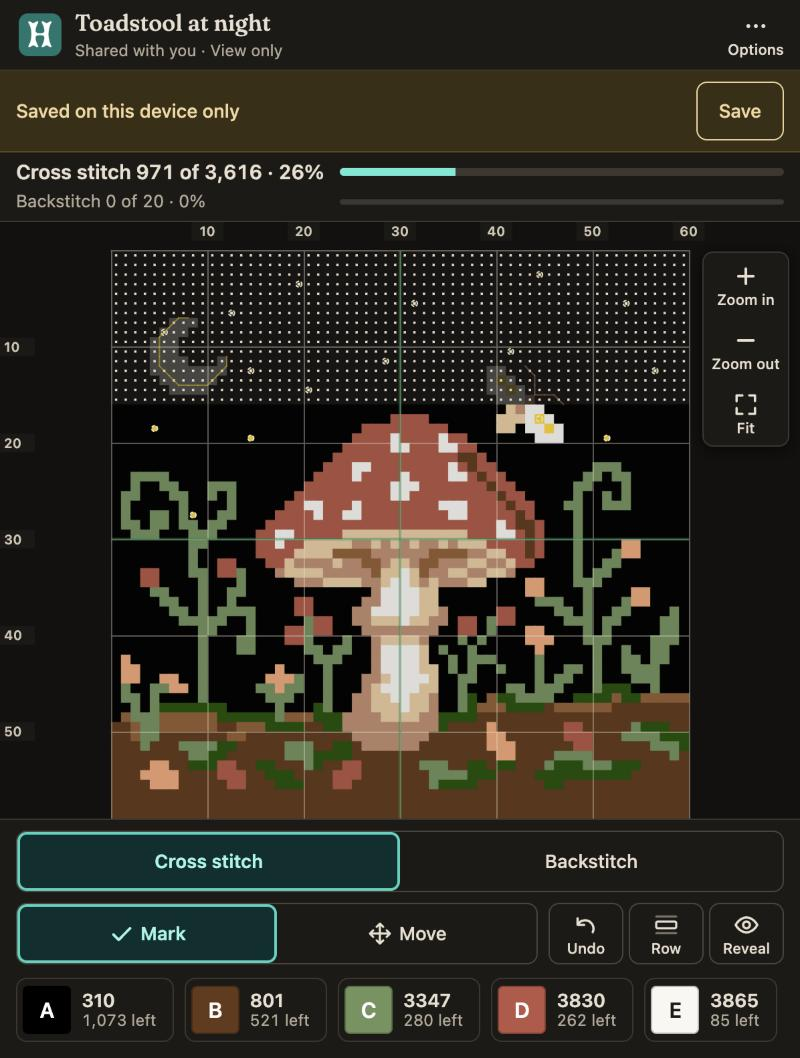
2. Tap a square when you’ve stitched it. The count at the top shows how many stitches you’ve done and what percentage that is. Switch from Mark to Move when you want to pan around the chart without marking anything by accident.
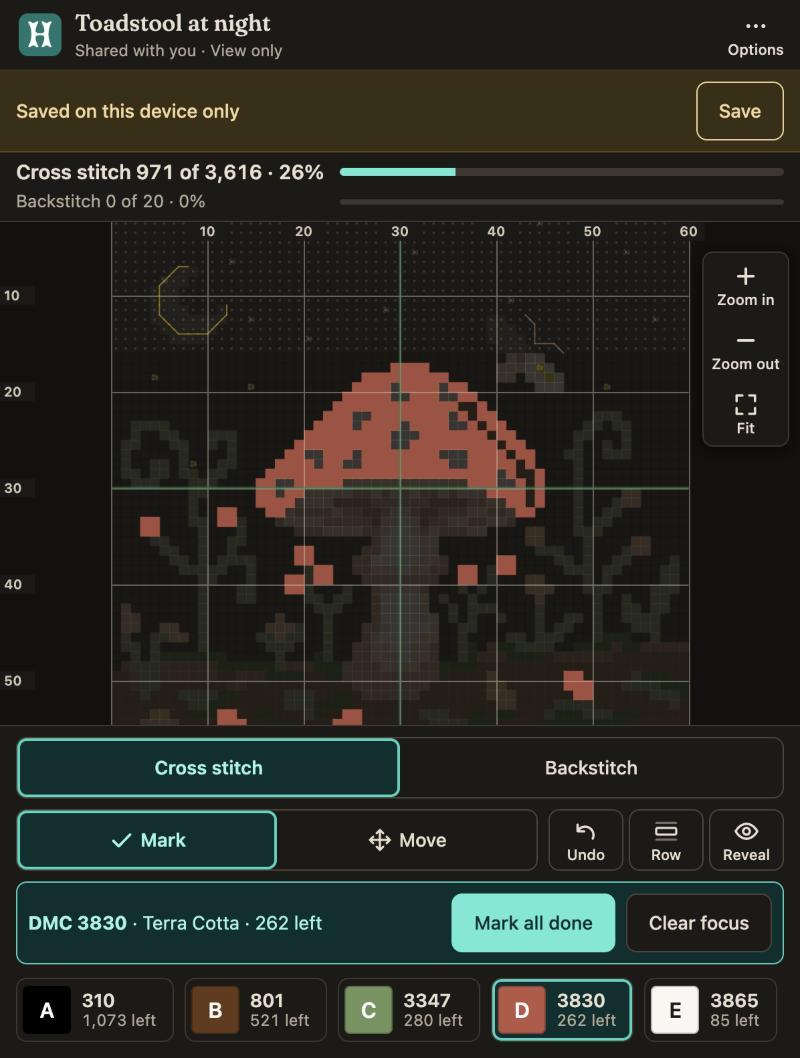
3. Focus on one thread at a time. Pick a colour and the rest of the chart fades back, so you only see the stitches you’re working on, and how many are left. You can mark them all done in one go, or clear the focus when you’re finished.
4. Backstitch has its own layer. Cross stitch and backstitch are tracked separately, which suits how most people work, with the backstitch added at the end.
5. Use the row marker to keep your place. If you get interrupted, it shows you which row you were on.
6. Made a mistake? Undo it. You can zoom in for the fiddly areas too.
A few smaller things worth knowing:
- Select an area lets you drag a box, then mark or unmark everything in it, which is handy for big blocks of one colour.
- Reveal view shows finished stitches in colour and the rest pale.
- Keep screen awake stops your phone dimming while you stitch.
- On a computer you can use the keyboard: arrow keys and Enter to mark, + and - to zoom, U to undo and R for the row marker.
I’ve been using it myself on the pattern I’m stitching at the moment, and it’s been a quality of life improvement for my stitching. I’ll report back with the finished design once I’m done!
Where your progress is kept
If you open a pattern without signing in, Heddle tells you it’s “saved on this device only”, and your progress never leaves that device. If you sign in or save, it’s kept in your account, so you can pick up on a different device. Either way you can download a backup file from Options, and restore from it later, which is handy if you clear your browser data.
Sharing a pattern with someone else
If you share a pattern, the person you share it with tracks their own stitches and can’t change your design. That’s useful for stitching along with a friend, or for anyone you give a pattern to.
Try it on a free pattern
If you’d like something to try it on, the free Toadstool at Night pattern is a good start. It has 3,616 stitches, so there’s plenty to tick off.